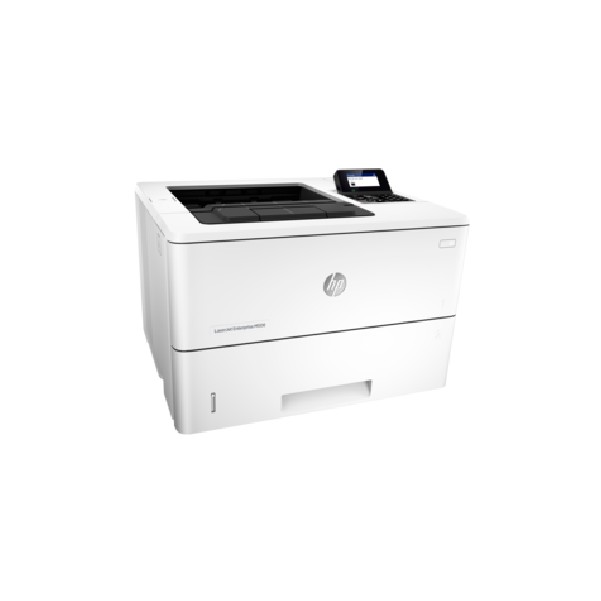
KYOCERA FS-3140MFP+ manuals

Owner’s manuals and user’s guides for Multifunctionals KYOCERA FS-3140MFP+.
We providing 2 pdf manuals KYOCERA FS-3140MFP+ for download free by document types: User's Guide, Specifications


Kyocera FS-3140MFP+ User's Guide (87 pages)


Brand: Kyocera | Category: Multifunctionals | Size: 1.14 MB |


Table of contents

Legal Notes

2

Regarding Trademarks

2

Table of Contents

3

Chapter 3 Quick Print

4

Chapter 4 Basic

4

Chapter 5 Layout

4

Chapter 6 Imaging

5

Chapter 7 Publishing

5

Chapter 8 Job

5

Chapter 9 Advanced

5

User Guide

6

1 Installation

7

Installing Utilities

8

Upgrading Driver Components

8

Express Installation

8

Custom Installation

10

Custom Select

12

Optional Printer Components

15

The Add Printer Wizard

15

2 Device Settings

18

Enabling Auto Configuration

19

Setting the Memory

19

RAM Disk

20

Administrator Settings

20

Show Quick Print Tab

21

Send Count Information

21

Send Application Name

21

Lock Settings

23

User Login

24

User Login Options

25

Printing with User Login

25

Job Accounting

26

User Settings

27

Language Preference

28

PDL Options

29

PDF Options

30

XPS Driver

32

Compatibility Settings

33

Removing a Plug-in

34

3 Quick Print

35

Duplex Printing

36

Profiles

37

Selecting a Profile

38

Saving a Profile

38

Editing a Profile

39

Importing a Profile

39

Exporting a Profile

39

Application Based Printing

40

Basic Settings

42

Source and Media Types

43

Print Size and Page Size

43

Printing in Duplex Mode

45

Print Preview

46

Kyocera Logo

47

5 Layout

48

Setting Scaling on the Page

49

Creating a Gutter

49

Printing a Booklet

50

Printing a Poster

51

6 Imaging

52

Selecting EcoPrint

53

Half Speed Mode

53

Font Settings

53

Selecting Font Settings

54

Font Substitution

54

Graphics

55

Inversion Settings

56

Optimization Settings

56

CIE Optimization

57

Halftone Screen

57

Adjusting Grayscale

58

Text and Graphics Effects

58

7 Publishing

60

Cover Mode Options

61

— continued

62

Page Insert

64

Transparency Interleaving

65

Job Storage (e-MPS)

67

Proof and Hold

68

Private Print

68

Job Name

69

Selecting a Job Name

70

9 Advanced

71

Watermark

73

Selecting Pages for Watermark

74

Security Watermark

75

Status Monitor

78

EMF Spooling

80

Enable Client Profile

80

Glossary

81

Rev. 14.03 2011.04

87

Table of contents

FS-3140MFp

1

Contents

3

Safety Information

5

General Notice

6

IMPORTANT SAFETY INSTRUCTIONS

7

CANADIAN IC REQUIREMENTS

8

Introduction

12

Conventions in This Guide

13

Part Names and Functions

14

Operation Panel

15

Document Processor

18

2 Preparation Before Use

20

Setting the TTI information

23

Date and Time Entry

25

3 FAX Operation (Basic)

28

Automatic Send

29

Resolution Resolution)

32

FAX Automatic Reception

35

Cancelling Communication

37

Communicating

39

[Line Off][ Log ]

39

Using the Address Book

40

Using One-touch Keys

49

Automatic Redial

51

Manual Redial (Recall)

51

4 FAX Operation (Advanced)

52

Delayed Transmission

53

Broadcast Transmission

55

Standby Transmission

56

Interrupt Send

57

Chain Dial

58

Manual Send

59

Manual Reception

60

Remote Switch Function

62

Using the Remote Switch Dial

63

11 Press the OK key

71

1 Open the web browser

72

Sub Address Communication

76

Sub Address Box Function

78

Program Dial

83

Polling Communication

84

1 Press the FAX key

89

3 Press the OK key

91

Account Management

93

2 Perform the fax operation

96

Other Convenient Functions

97

Registration Status

98

Checking FAX Job History

100

Send Result Report

103

Completed

103

FAX RX Result Report

104

FAX TX Report

105

FAX RX Report

105

Status Page

106

13 Press the OK key

108

6 Setup and Registration

110

FAX/TEL Auto Switch Reception

111

Volume Adjustment

116

Retry Times

117

Receiving Mode

118

Reception Date/Time

119

Media Type for Print Output

120

DRD Reception

122

Transmission Restriction

124

Encryption

133

12 Press the OK key

138

Duplex Print Output

139

2 in 1 Reception

140

Select Key Set

142

Remote Diagnostics

143

Setup and Registration

145

7 About Network FAX

146

What is Network FAX?

147

Flow of Setup

148

About Network FAX

149

8 Troubleshooting

150

Error Messages

152

Troubleshooting

154

Is the recipient fax machine

155

Appendix

156

Character Entry Method

157

Selecting Type of Characters

158

File name input:

158

Entering Characters

159

Specifications (Fax function)

161

Menu List

162

Continued from previous page

163

Error Code List

166

BX Setting 2-8

171

First Edition 2010.06

176

2LXKMEN000

176


More products and manuals for Multifunctionals KYOCERA

Models Document Type
FS-1016MFP Specifications   KYOCERA FS-1016MFP, 92 pages
FS-1016MFP User Manual KYOCERA FS-1016MFP/KL3, 2 pages
TASKalfa 180 User Manual    KYOCERA TASKalfa 220, 2 pages
FS-1320MFP/KL3 Installation Guide   KYOCERA FS FS-1320MFP/KL3, 201 pages
FS-3540MFP Setup Guide     KYOCERA FS-3540MFP, 36 pages
1020MFP Installation Guide   KYOCERA FS FS-1220MFP, 111 pages
181 Manual   KYOCERA TASKalfa 181, 33 pages
300i Specifications   KYOCERA TASKalfa 300i, 225 pages
KM-C2230 User Manual   Kyocera KM-C2230 User's Manual, 150 pages
300i User Manual   Kyocera 300I User's Manual, 6 pages
KM-F1060 User Manual   Kyocera KM-F1060 User's Manual, 16 pages
FS-1030D User Manual   Kyocera FS-1030D User's Manual, 4 pages
KM-C3130 User Manual   Kyocera KM-C3130 User's Manual, 75 pages
FS-1028MFP DP User Manual   Kyocera FS-1028MFP DP User's Manual, 6 pages
KM 8030 User Manual   Kyocera KM 8030 User's Manual, 124 pages
KM-C1530 User Manual   Kyocera KM-C1530 User's Manual, 280 pages
1102N43NL0 Datasheet   KYOCERA TASKalfa 5551ci, 2 pages
1102NB3NL0 Datasheet   KYOCERA TASKalfa 3501i, 2 pages
1102LL3NL0 Datasheet   KYOCERA TASKalfa 3500i, 2 pages
012M83NL Datasheet   KYOCERA FS-C2526MFP, 2 pages